
Free Crochet Pattern Viewer & Reader App
Follow text patterns line by line, draw on image patterns, and annotate PDFs page by page. All your crochet patterns organized in one place — free and offline.


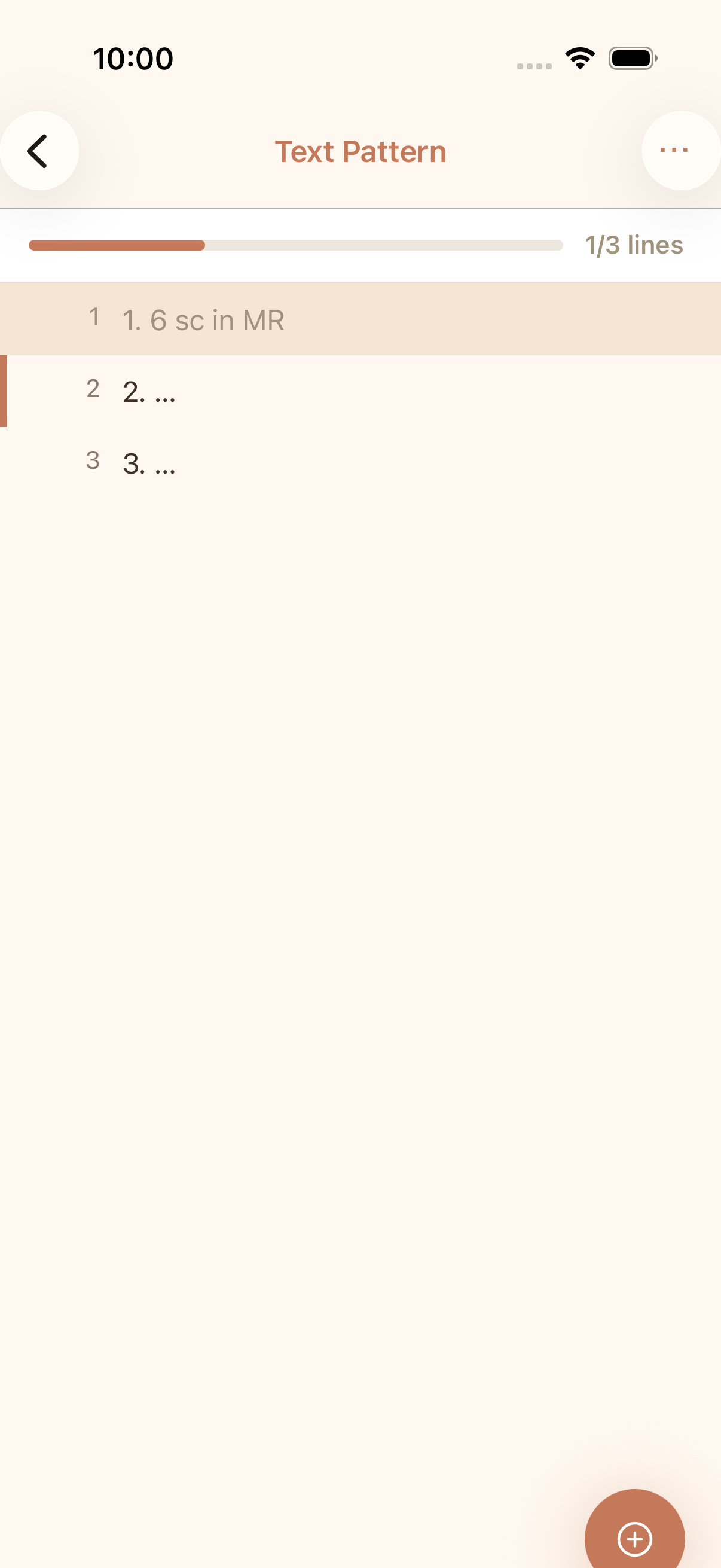
Text Pattern Tracking
Follow text patterns line by line with automatic highlighting. See completed lines, current position, and total progress at a glance.
Image Pattern Drawing Overlay
Draw directly on image patterns to mark your progress. Zoom, pan, and use different colors to highlight completed sections.
PDF Pattern Support
View PDF patterns page by page with annotation tools. Draw on each page and save your progress automatically.
Auto-Save Progress
Your position and annotations are saved automatically. Pick up exactly where you left off, every time you open a pattern.
FAQ
What pattern formats does cromu support?
cromu supports three pattern formats: text patterns with line-by-line tracking, image patterns (JPG, PNG) with drawing overlay, and PDF patterns with page-by-page annotation. You can add patterns from your device or camera.
Can I draw on my crochet patterns?
Yes! For image and PDF patterns, cromu provides a full drawing overlay. You can highlight sections, mark completed areas, and annotate with different colors and brush sizes. All drawings are saved automatically.
Does the pattern viewer save my progress?
Yes, all progress is auto-saved. For text patterns, your current line and completed lines are tracked. For image and PDF patterns, all drawings and annotations persist between sessions.
Explore More Features
Stitch Counter
Free crochet stitch counter app with multiple counters per project, row counting, progress bars, and quick counter. Track every stitch in your crochet and knitting projects with cromu.
Creative Tools
Free crochet creative tools: pixel art generator, pattern designer, stitch chart designer, color replacer, stitch calculator, and yarn calculator. Design crochet patterns with cromu.
Yarn & Needle Stash
Free yarn stash manager app. Organize your yarn collection and needle inventory. Import yarn and needles into crochet projects directly from your stash with cromu.
Start your next project with cromu.
Manage all your crochet and knitting projects with cromu — free, offline, no account needed.