
For makers of quiet, slow things
A companion for every stitch you make.
Count your rows, follow any pattern line by line, and track your time — for patterns you bring from anywhere. Plus a yarn stash and six creative tools.


Text, image & PDF patterns · Works offline · 10 languages
Row by row
Bring any pattern. Follow it stitch by stitch.
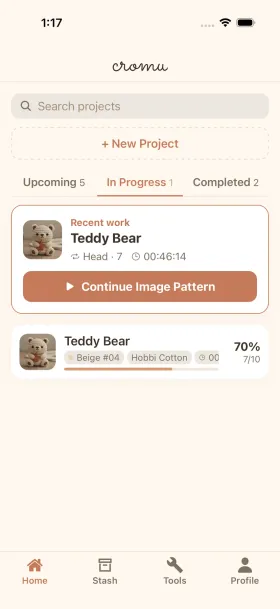
cromu is not only a chart maker. Paste in a text pattern, photograph a printed one, or open a PDF — cromu holds your place in it, row by row, and opens right where you stopped.
- Text patterns
- Tap a row to mark it done. The row you are on keeps a terracotta marker, so you never lose your place mid-repeat.
- Image patterns
- Draw straight over a photographed or scanned chart with a highlighter. Pinch to zoom, undo, redo.
- PDF patterns
- Annotate page by page. Your marks and the page you were on are saved per pattern.
Progress is saved for each pattern and stays on your device.
Why cromu?
Handmade things deserve handmade tools.
Every stitch is a small act of patience. cromu was built to sit quietly beside that patience — to hold your counts, your photos, your hours — without ever asking for your attention back.
— the cub labs
All-in-One
Counters, timer, patterns, yarn stash, and creative tools — everything in one place.
Instant Start
No setup needed. Open and start crafting right away.
Free at the Core
Counters, timer, patterns, stash, and all 6 creative tools are free. Premium is optional.
10 Languages
English, Korean, Japanese, Chinese, Spanish, Portuguese, German, French, Turkish, Russian.
The Toolkit
Everything You Need
Powerful stitch counter, pattern viewer, and project tools for crochet and knitting
Stitch & Row Counter
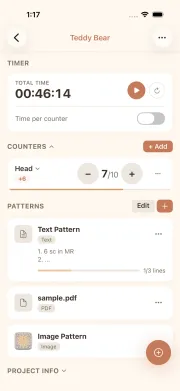
Multiple counters per project with targets and progress bars. Quick counter accessible anytime.
- Unlimited counters per project
- Goal setting & progress bar
- Quick counter (bottom sheet)
Pattern Viewer
Text patterns with line tracking, image patterns with drawing overlay, PDF support with page-by-page annotation.
- Text pattern line tracking
- Image drawing overlay
- PDF page-by-page annotations
Crafting Timer
Built-in timer tracks your sessions automatically. Per-counter timers for detailed tracking.
- Project & counter-level timer
- Background timer support
- Yarn & needle stash → project linking
Yarn & Needle Stash
Build your yarn and needle inventory. Import directly into projects from your stash.
Achievements
55 badges across 5 categories. Track milestones, time goals, streaks, and tool usage.
Crafting Insights
Activity heatmap, weekly/monthly/yearly stats, daily averages, streaks, and Year in Review.
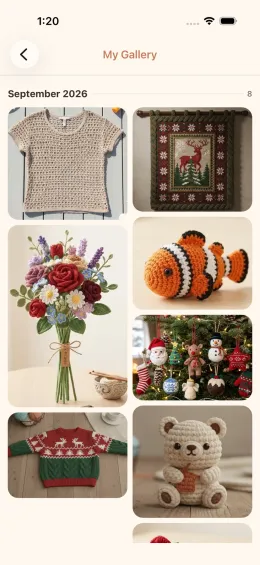
My Gallery
Browse all your project photos in one beautiful collection.
See It in Action
Explore cromu's features through screenshots
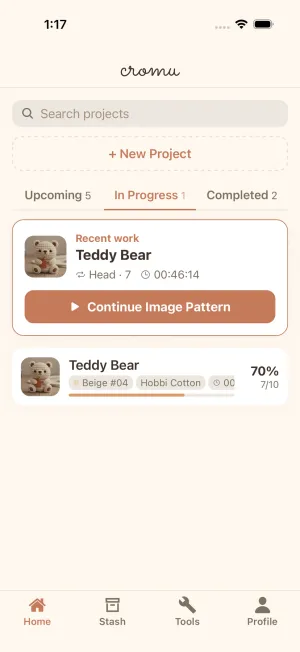
Project Home
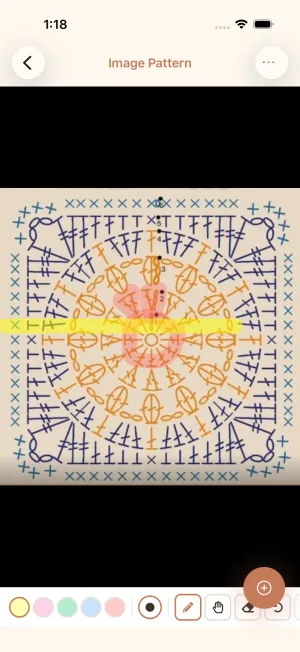
Manage all your projects in one place. Filter by upcoming, in progress, or completed.
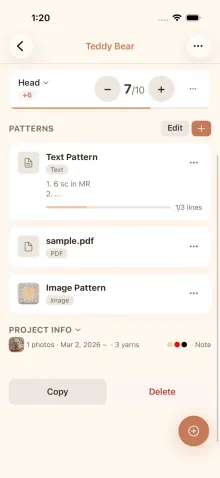
Project Info
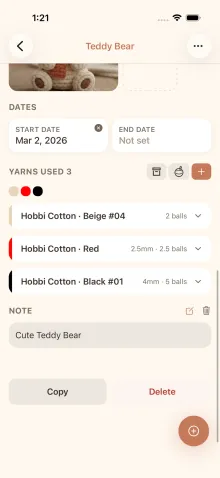
Dates, yarns, needles, and notes stay folded away while you work. Open them when you need them.
My Gallery
Every finished piece in one place. A year of crochet and knitting, stacked up.
Creative Tools
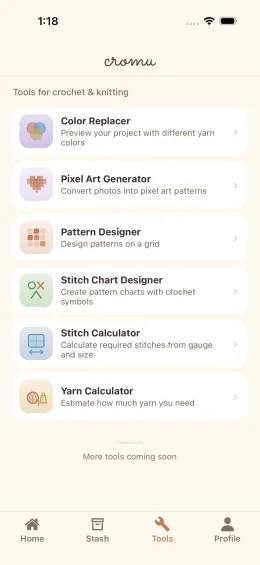
Pixel art generator, pattern designer, stitch chart, color replacer, and calculators.
Project Detail
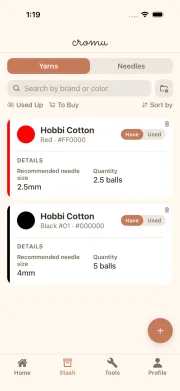
Yarn & Needle Stash
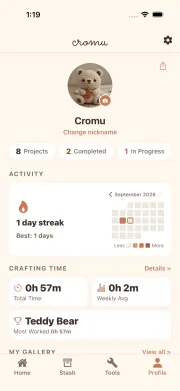
Profile & Insights
Creative Tools
Creative Tools
6 built-in tools to boost your creativity
Pixel Art Generator
Convert any photo into a pixel art pattern.
Pattern Designer
Design patterns on a customizable grid.
Stitch Chart Designer
Create pattern charts with crochet symbols.
Color Replacer
Preview projects with different yarn colors.
Stitch Calculator
Calculate required stitches from your gauge.
Yarn Calculator
Estimate yarn weight needed for your project.
Frequently Asked Questions
What kind of crafting app is cromu?
Is cromu free?
What does Cromu Premium include?
Do I need to create an account?
Does cromu work offline?
What languages does cromu support?
What devices can I use cromu on?
How does cromu handle my data?
cromu guides
Practical guides for your next project
Your next stitch is waiting.
Free to download, works offline, no account. Just you, your yarn, and a quiet place to keep count.