
Free Crochet Creative Tools & Pattern Designer
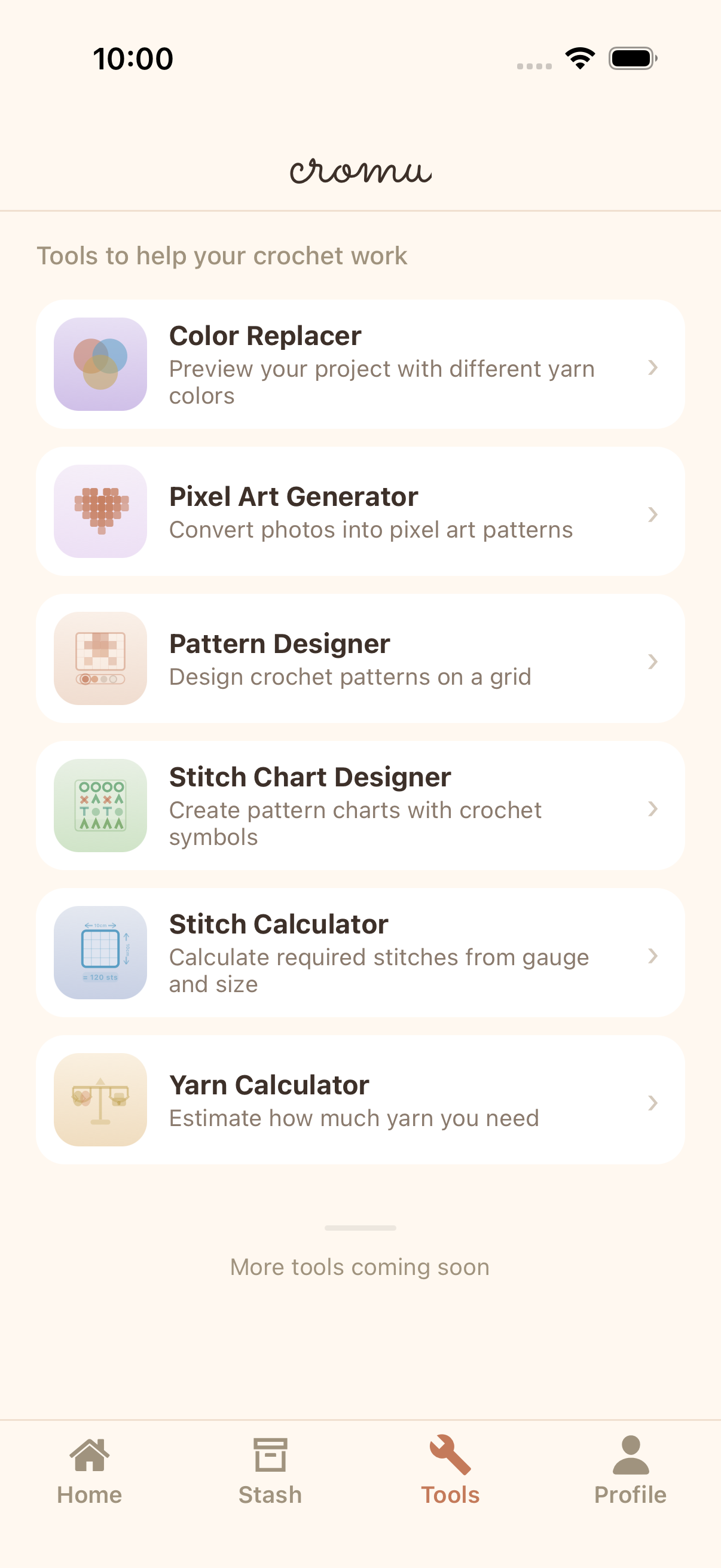
6 built-in creative tools to design your own crochet patterns. Pixel art generator, pattern designer, stitch chart, color replacer, and calculators — all free.


Pixel Art Generator
Convert any photo into a pixel art crochet pattern. Adjust grid size, color count, and export as a ready-to-follow pattern.
Pattern Designer
Design custom crochet patterns on a customizable grid. Choose colors, draw pixel by pixel, and create unique designs.
Stitch Chart Designer
Build professional stitch charts using standard crochet symbols. Create, edit, and share your stitch diagrams.
Color Replacer & Calculators
Preview projects with different yarn colors instantly. Calculate required stitches from your gauge and estimate yarn weight needed.
FAQ
Can I convert a photo into a crochet pattern?
Yes! The pixel art generator converts any photo into a crochet-ready pixel art pattern. You can adjust the grid size, number of colors, and preview the result before saving.
What creative tools are included for free?
All 6 creative tools are free: Pixel Art Generator, Pattern Designer, Stitch Chart Designer, Color Replacer, Stitch Calculator, and Yarn Calculator. No paywalls or premium features.
Can I create stitch charts with crochet symbols?
Yes, the Stitch Chart Designer lets you create charts using standard crochet symbols. Place symbols on a grid, customize the layout, and save your charts for reference.
Explore More Features
Pattern Viewer
Free crochet pattern viewer app supporting text, image, and PDF patterns. Line-by-line tracking, drawing overlay, and page annotations. Read and follow crochet patterns easily with cromu.
Stitch Counter
Free crochet stitch counter app with multiple counters per project, row counting, progress bars, and quick counter. Track every stitch in your crochet and knitting projects with cromu.
Yarn & Needle Stash
Free yarn stash manager app. Organize your yarn collection and needle inventory. Import yarn and needles into crochet projects directly from your stash with cromu.
Start your next project with cromu.
Manage all your crochet and knitting projects with cromu — free, offline, no account needed.