
Free Crochet & Knitting Timer App
Track every crafting session automatically. Per-counter timers, background notifications, and detailed session history — see exactly how much time you spend on each project.


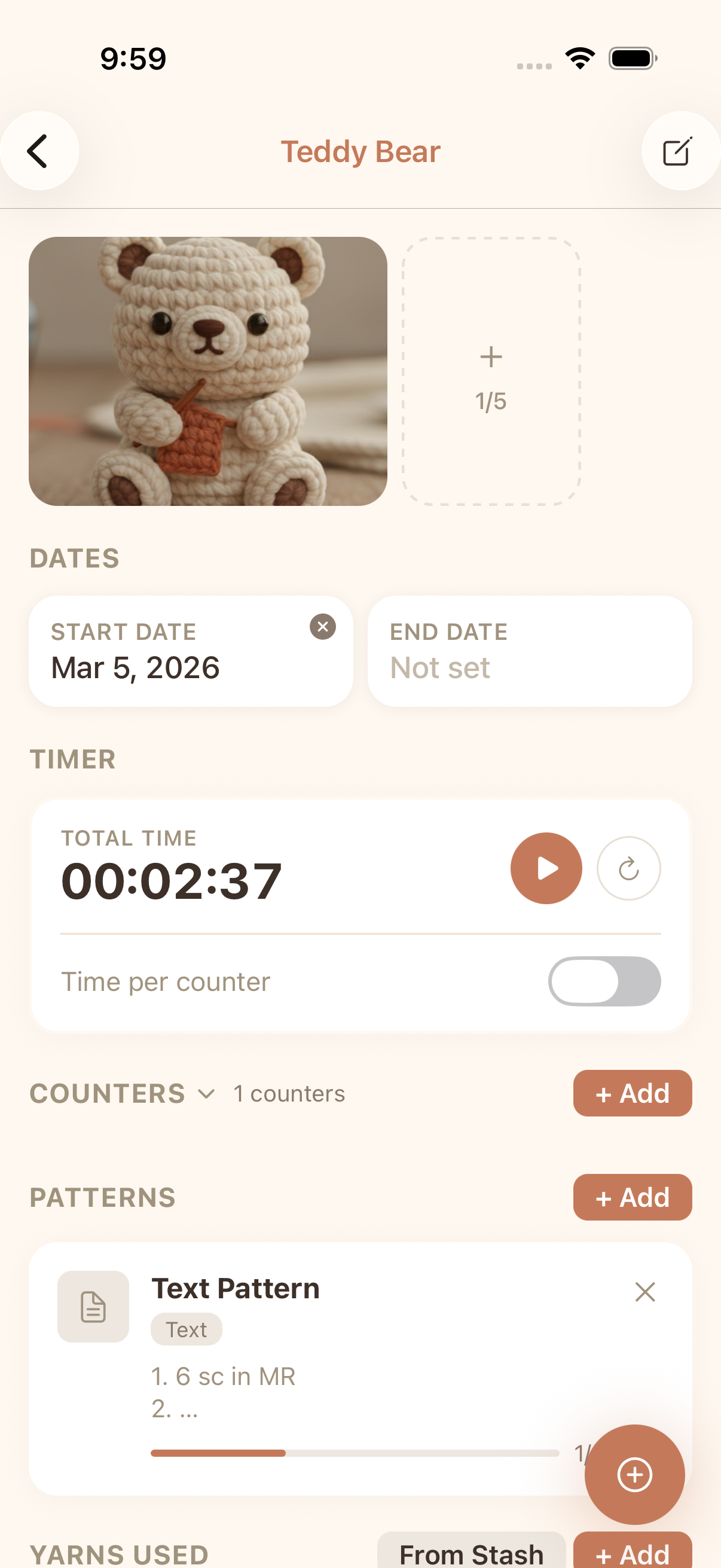
Automatic Session Tracking
Start the timer and craft. Your sessions are recorded automatically with timestamps, duration, and project association.
Per-Counter Timers
Track time spent on individual counters within a project. See exactly how long each section or component takes.
Background Timer
Timer keeps running when you switch apps or lock your screen. A persistent notification shows elapsed time so you never lose track.
Session History & Stats
Review all your crafting sessions with detailed history. See total time per project, daily averages, and crafting streaks.
FAQ
Does the timer work in the background?
Yes! The crafting timer runs in the background with a persistent notification. You can switch apps, lock your screen, or do other tasks — the timer keeps tracking accurately.
Can I track time per counter, not just per project?
Yes, cromu supports per-counter timers. Enable counter-level timing in your project settings to track exactly how long you spend on each counter within a project.
Is the crafting timer free?
Yes, the timer and all session tracking features are completely free. Background timer, per-counter tracking, and session history are all included at no cost.
Explore More Features
Stitch Counter
Free crochet stitch counter app with multiple counters per project, row counting, progress bars, and quick counter. Track every stitch in your crochet and knitting projects with cromu.
Achievements & Insights
Free crochet tracking app with 55 achievement badges, activity heatmap, crafting statistics, and Year in Review. Track your crochet journey and share milestones with cromu.
Yarn & Needle Stash
Free yarn stash manager app. Organize your yarn collection and needle inventory. Import yarn and needles into crochet projects directly from your stash with cromu.
Start your next project with cromu.
Manage all your crochet and knitting projects with cromu — free, offline, no account needed.